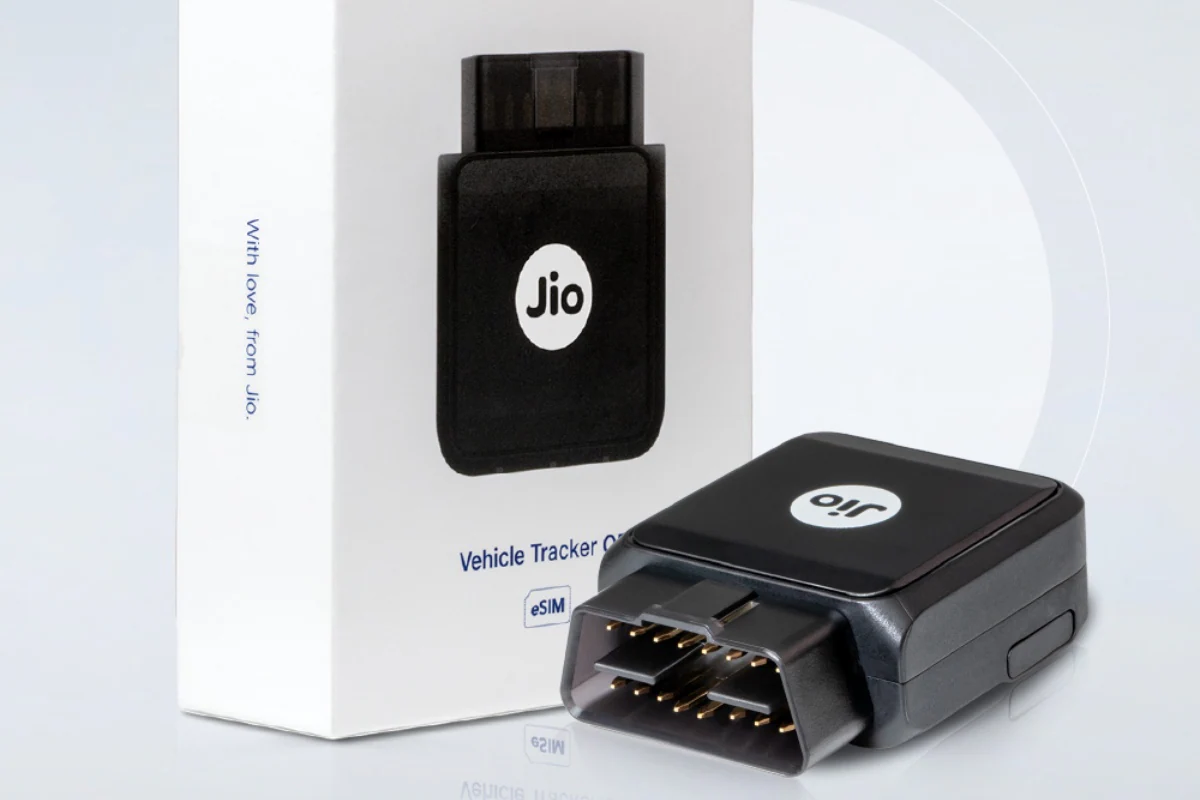
JioMotive is a plug-and-play 4G car GPS tracker launched by Reliance Jio. The car tracker is very easy to use as it connects to the vehicle’s OBD (On-Board Diagnostics) port to perform its functions. It can help track many important features, including a vehicle’s real-time location, driving behavior, and other insights. The device can also act as a WiFi hotspot for your car. Jio has launched JioMotive with a minimum price of Rs. 11,999. However, it is currently available at a discount. The company also provides a step-by-step guide for installing the device on your vehicle.
JioMotive plug-and-play 4G GPS tracker: India price, availability
The device by Reliance Jio has been launched at a price of Rs. 11,999. However, it can be purchased for Rs. It is priced at $4,999 at Reliance Digital store with 58% instant discount. The JioMotive tracker is also available on the Jio official store. Customers in India can get a free one-year subscription with the purchase of the tracker. After one year, the subscription fee will be Rs. 599 per year.
JioMotive Plug and Play 4G GPS Tracker: Features
Unlike most OBD tracker devices, the JioMotive is a 4G device that can easily connect to any car’s OBD port. No expert is required to install this device. Reliance provides a simple guide to help with the installation process.
The real-time tracker can check the vehicle’s health and also act as a WiFi hotspot. It has the ability to send alerts for a variety of actions, such as anti-theft, anti-towing, bad driving or geofencing. To manage these things, just install the JioThings app, which is available on the App Store and Google Play Store.
JioMotive is only compatible with Jio SIM cards. However, existing Jio users do not need an additional Jio SIM as they can extend their Jio smartphone plan to JioMotive.
How to set up JioMotive device on vehicle
-
Download and install the JioThings app on your smartphone from the App Store or Google Play Store.
-
Log in to the app using your Jio number.
-
Use the ‘+’ sign to add the JioMotive device to the list of existing devices.
-
Add the IMEI number on JioMotive and select “Continue” for subsequent steps.
-
Enter the car details asked for next, such as vehicle number, registration date, model type, etc.
-
Connect the JioMotive to the OBD port of the car and turn on the car. Make sure you are in a good Jio connectivity area.
-
Agree to the terms and conditions of JioEverywhereConnect number sharing plan and click on “Enable”.
-
Click on “JioJCR1440” and “Continue” to proceed to the next step.
-
Once the device is connected, a confirmation message will appear on the screen.
Get daily tech news, reviews, and insights in 80 characters or less on technology shout Turbo. Connect with other tech enthusiasts on our forum. Follow us XFacebook, WhatsApp, Threads and Google News for instant updates. Watch all the action on our YouTube channel.
Robotic device for detecting slippery floors among technologies showcased at IIT Open Day
The best price of headphones is under Rs. Amazon’s Great Indian Festival finale sale is 5,000 pieces

