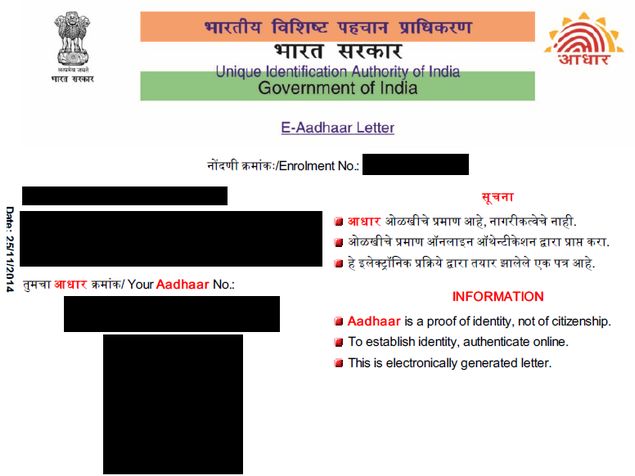
If you are planning to file your tax return on or after July 1, now is the time to link your Aadhaar number with your PAN card. If you lose your Aadhaar card, don’t panic as you can easily download a new copy. It requires you to know your Aadhaar number, but you can easily look it up online. The unique 12-digit government ID is not mandatory, but it can be used as proof of identity on most forms you fill in, and some government agencies now also require Aadhaar. It is issued by the Unique Identification Authority of India on behalf of the Government of India.
How to link Aadhaar with PAN card online
The good thing about Aadhaar is that unlike some other ID cards, its digital copy is downloaded from the UIDAI website and is as valid as the original card. So whether you’ve lost your card and need a new one or just want to get a digital copy of the card to submit with your online form, the official website has you covered.
Registering for Aadhaar is free, as is the process of obtaining a digital copy; just follow the steps below to complete.
How to link Aadhaar to PAN via SMS
Get your UID number
To download a copy of Aadhaar card, you need to know your UID number or registration ID. If you have been issued an Aadhaar, it is usually a good idea to write down the number somewhere. If you cannot find Aadhaar, look for the registration form to check your registration ID. If you don’t have one, then you’ll need to look up this number first. You need to do the following:
-
Visit UIDAI website.
-
make sure Aadhaar number (UID) Choose from the two options near the top of the screen.
-
Enter your Nameas printed on the Aadhaar card.
-
type e-mail or telephone number The information you used to register for Aadhaar.
-
Enter the characters you see in the image above Enter security code.
-
Click Get one-time password.
-
A one-time password will be sent to the email address or phone number you enter in the form. Enter this password in the form next to it Enter one-time password.
-
Click Verify one-time password.
-
Now you will receive your Aadhaar number via SMS or email.
Get your Aadhaar card
Once you get the UID number, you can use it to download a copy of the Aadhaar card. This part is also very simple:
-
Go to the e-Aadhaar page on the UIDAI website.
-
choose Adhar beside I have.
-
Enter your Aadhaar number, full name and residential address PIN.
-
Type the characters from the image in the field Enter the image text above.
-
Click Get one-time password.
-
If you click, this one-time password will be sent to your phone number confirm in the pop-up window. Alternatively, you can click Cancel and send it to your email address.
-
Enter the password you received in the form next to it Enter one-time password.
-
Click Verify and download.
Now your Aadhaar card will be downloaded as a password protected PDF file. The password is the PIN code for your residential address. You can now print this document and it is a fully valid Aadhaar card. Let us know in the comments if this tutorial was helpful. For more tutorials, head to our how-to section.
How to check Aadhaar card status online

