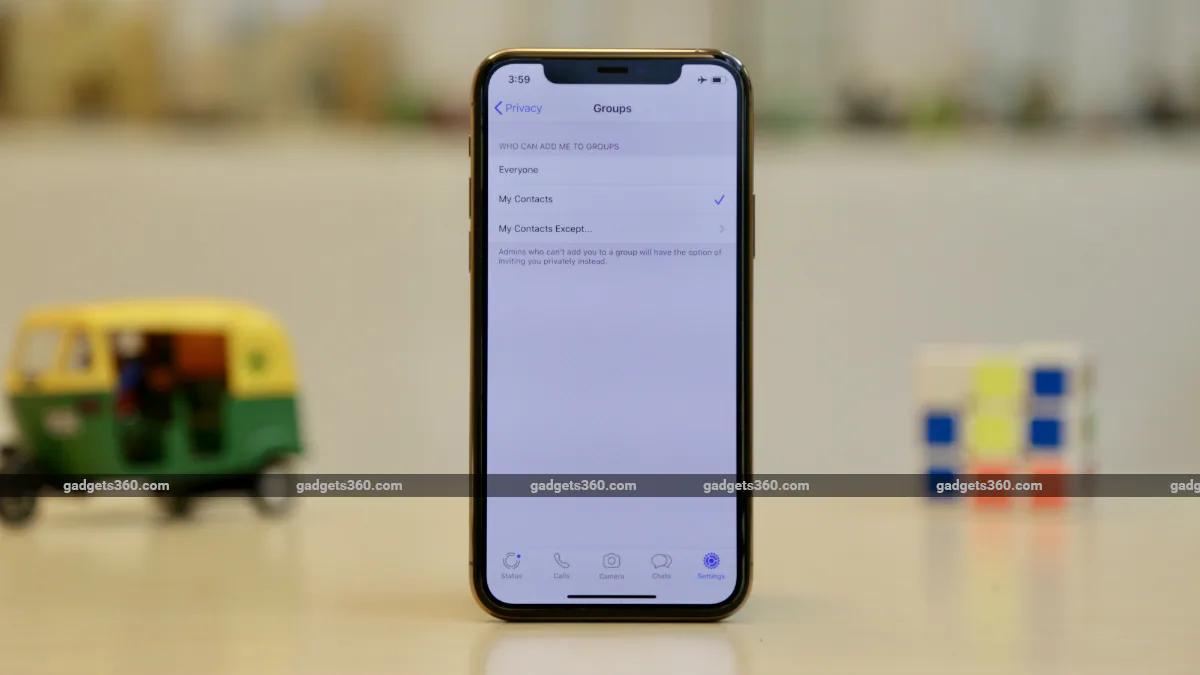
WhatsApp Groups are a very popular feature that allows you to stay in touch with friends and family around the world. However, to make things easier, WhatsApp previously allowed anyone to add anyone to a WhatsApp group as long as they knew the other person’s contact number. This has led to serious issues of random people randomly adding other people to WhatsApp groups. After a lot of user feedback, WhatsApp decided to address the issue by providing privacy settings to prevent users from randomly adding others to WhatsApp groups. Recently, WhatsApp rolled out these group privacy settings to everyone.
The new group privacy settings on WhatsApp are available on both Android and iPhone. Here’s how to enable these settings on your smartphone.
How to enable group privacy settings on your smartphone
Before we tell you how to implement these settings on your smartphone, make sure you have the latest version of WhatsApp installed on your device. For Android, the version is 2.19.308, and for iPhone, the version is 2.19.112. You can update by going to the respective WhatsApp pages on the Google Play Store for Android and the App Store for iPhone. Once you have resolved this issue, just follow the steps below.
How to stop someone from adding you to a WhatsApp group on Android
If you are an Android user, follow the steps below to stop others from adding you to WhatsApp groups without permission.
WhatsApp for Android group privacy settings can be found in Settings > Account > Privacy > Groups
- Open WhatsApp on your Android smartphone and tap Vertical three dots icon in the upper right corner.
- Next, click set up > account > privacy.
- Click now group and select one of the three given options – everyone, my contacts, or My contacts except….
- If you choose everyoneanyone can add you to the group.
- choose my contacts Only your contacts are allowed to add you to WhatsApp groups.
- Finally, the third option My contacts except Allows you to allow only selected people to add you to WhatsApp groups. You can select contacts one by one or select all contacts by clicking Select all icon in the upper right corner. These people will be prompted to send you a group invitation via private chat. You will then have three days to accept or decline the request to join the group before the request expires.
How to stop someone from adding you to a WhatsApp group on iPhone
If you use WhatsApp on your iPhone, here’s how to stop others from adding you to a WhatsApp group.
WhatsApp for iPhone group privacy settings can be found in Settings > Account > Privacy > Groups
- Open WhatsApp On your iPhone’s bottom bar, tap set up.
- Next, click account > privacy > group.
- On the next screen, select one of the three given options – everyone, my contacts and My contacts except. Here you can also select contacts one by one or select all contacts by clicking Select all The button is in the lower right corner.
For more tutorials, visit our How-To section.
Get daily tech news, reviews, and insights in 80 characters or less on technology shout Turbo. Connect with other tech enthusiasts on our forum. Follow us XFacebook, WhatsApp, Threads and Google News for instant updates. Watch all the action on our YouTube channel.
Samsung camera app hints at upcoming Galaxy phone with 108-megapixel camera
SpaceX launches 60 more mini-satellites for global internet, with plans to launch thousands more

