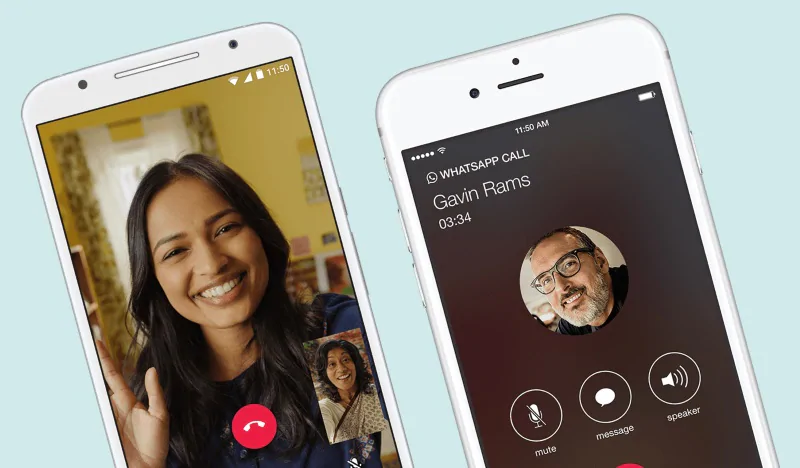
Call recording is relatively easy, which got us thinking – how to record a WhatsApp call? We make several WhatsApp calls throughout the day as these are more reliable than phone calls (due to frequent disconnections). As journalists, recording phone calls is crucial for us, especially when we interview people over the phone, so figuring out how to record WhatsApp calls is important for us. Let’s cut to the chase: recording WhatsApp calls is no easy task. In fact, despite spending a lot of time researching the problem, we didn’t find an easy way to do it. We checked how to record WhatsApp calls across platforms, but hardware limitations and software limitations hampered our efforts.
If you still want to do it (you are here after all), know that recording WhatsApp voice calls is a hassle. Don’t even get us started on WhatsApp video calls, because it’s basically impossible.
How to record audio on iPhone or Android
There are two ways to record WhatsApp calls on Android and iOS, and both have similar problems: they don’t work for many people because you need specific equipment. Before following these steps, be sure to get permission from everyone on the call before recording a WhatsApp call, and make sure recording calls is legal where you live.
How to record WhatsApp calls on Android/iPhone using Mac and iPhone
The easiest way to record WhatsApp voice calls requires a Mac and iPhone. That’s a big improvement, isn’t it? Additionally, the iPhone cannot be your primary device. You will need a second phone (any platform that supports WhatsApp group voice calls) and have your WhatsApp account. In the instructions below, we’ll refer to the iPhone you’re recording on as “iPhone” and the phone you’re using to make the call as “your phone.”
Here’s how to record a WhatsApp call:
- Connect your iPhone to your Mac using a Lightning cable.
- If this is your first time connecting the two, select “Trust this computer” on your iPhone.
- Open QuickTime on your Mac.
- below documentchoose new recording.
- Click the down arrow next to the record button in QuickTime and select iPhone.
- Click the record button in QuickTime.
- Using your iPhone, call your mobile phone via WhatsApp.
- Once connected, click the Add User icon. Then select the person you want to talk to. This will start a conversation with the person you want to record.
- Hang up immediately after the call ends.
- Stop recording in QuickTime and save the file on your Mac.
All participants in a WhatsApp group voice call can see all other parties, which means there is no way to secretly record a WhatsApp call without them noticing. In any case, as we said before, you should not try to hide the fact that you will be recording the conversation in the first place.
How to record WhatsApp calls on Android using Cube Call Recorder
Remember how we said these two methods only work on specific devices? Due to hardware differences and software limitations, Cube Call Recorder’s VoIP recording feature (WhatsApp uses VoIP, or Voice over Internet Protocol) only works on certain devices. The list is provided as a Google spreadsheet, linked from the app’s Play Store page. Cube Call has another warning: VoIP recording most Available for listed devices. We tested Cube Call using the Samsung Galaxy Note8 on our list, but it didn’t work for us despite repeated attempts and tweaks to the app settings.
If you have a device listed in the spreadsheet above, you’re welcome to try these steps.
- Install Cube Call Recorder on your phone with WhatsApp installed.
- Open Cube Call Recorder and switch to WhatsApp.
- Call the person you want to talk to.
- If the Cube Call widget appears and lights up when you speak, it’s working.
- If an error occurs, open Cube Call Recorder settings and select Force VoIP calls as voice calls.
- Make the call again and see if the Cube Call Recorder widget appears and lights up.
- If the error appears again, then unfortunately it won’t work on your phone.
How to record WhatsApp calls on Android phone (alternative method)
Android users have a third option: root your device. We don’t recommend doing this as it affects the security of your phone and may put you off the manufacturer’s update track, but if you must, go ahead and root your phone and use the SCR Screen Recorder app available via XDA.
As we said before, recording WhatsApp calls is quite complicated. If neither method works for you, you can always put your phone on speaker and record the call from a second phone or any device with a voice recorder nearby while you sit in a quiet room. This is a crude hack and the only reason we have to mention it here is that it is the only reliable way to record WhatsApp calls at a very low cost.
For more tutorials, visit our how-to section.
We discuss what WhatsApp absolutely needs to do in 2019 on Orbital, our weekly tech podcast, which you can subscribe to via Apple Podcasts or RSS, download the episode, or just hit the play button below.

