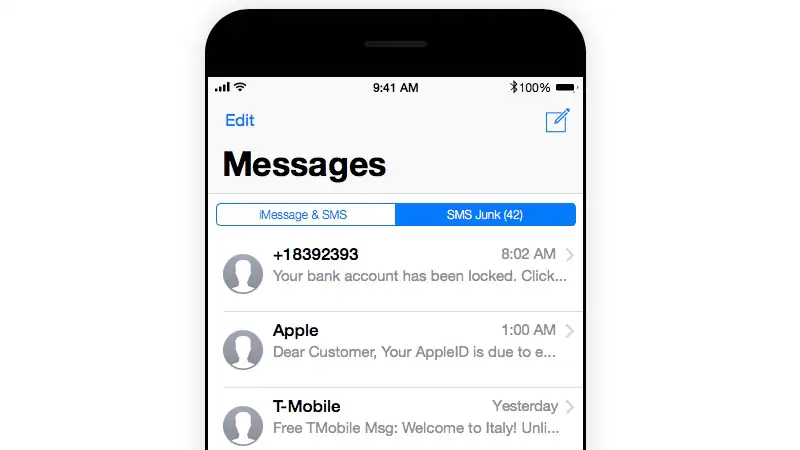
Spam text messages plague almost everyone who has an Indian SIM card, even those living abroad. Whether it’s a scam, asking you to buy company stock to double your wealth, or a store near you sending you a promotion, these messages are getting increasingly annoying. Not only will they spam you with notifications, but they will also hinder iMessage since Apple’s messaging service also uses the same messaging app.
This means you’d better get rid of these spam emails. You can easily do this in iOS 9, but on iOS 10 this method no longer works. Your only option is to manually disable notifications for these messages. It’s a pretty tiring task, but with iOS 11, third-party apps can help you get the job done easily.
Before you start blocking spam text messages, you need to be aware that the third-party apps used to solve this problem will be able to read your messages. This may be a problem if your privacy is important to you. Be sure to read the app’s privacy policy and see if the developer is reliable and has other apps with good reviews. Note that this does not affect iMessage in any way, as these apps can only read SMS and MMS messages.
How to block spam text messages on iOS 11
These steps will help you block spam text messages on iOS 11:
- Download an SMS spam blocking app (we’ve mentioned our favorites below).
- Go to set up > message.
- below Message filteringtap unknown and spam.
- below SMS filteringselect the spam-blocking app you want to use.
Spam SMS blocking apps on iOS 11
There are multiple spam blocking apps on the App Store, and we’ve used many of them since the release of iOS 11 to find out which ones work best. These three apps are our favorites.
SMS Shield
SMS Shield is a subscription-based app (Rs 300 per year) that allows you to block spam manually or using your own machine learning algorithm. SMS Shield worked well for us overall and blocked more spam text messages than other apps. It also supports receiver blocking, so you can block all text originating from short codes such as “VK-HLACHF” by adding *-HLACHF as a block number under the custom block list feature. There’s no easy way to create a whitelist, but you can report individual messages as not spam by pasting text into the app.
SMS Checker
If you just want to manually block text messages by keyword, SMS Checker is a free app. Online filters can be enabled for automatic blocking via in-app purchase (Rs. 500). If subscription-based blocking apps aren’t for you, then you can pay a one-time in-app purchase fee and get SMS Checker. The app makes it very easy to create whitelists and blacklists with multiple toggles with custom keywords in messages or sender names. It doesn’t have as much automatic spam blocking as SMS Shield, but that may change depending on how many people use the app and how often its filters are updated.
Vero SMS
VeroSMS is a free app that allows you to block spam by targeting keywords. In-app purchases worth Rs. 80 lets you block text based on crowdsourced keywords. If you don’t want to pay too much, this app does a good job of blocking spam as long as you have the patience to manually enter the keywords you want to block. These keywords can also be the sender’s name, such as HLACHF or DUNKIN, and the application will place them in the trash folder. VeroSMS gets the job done, but the problem is that you have to do most of the work.
We tried a lot of other apps but didn’t work out for various reasons. The most obvious choice here is Truecaller, whose USP is blocking spam calls and messages. Surprisingly, however, the app failed to block spam in our tests. Another person was also able to independently verify this, so we can’t recommend it at this time. Other apps we tried but didn’t really like were SMS Blocker (ugly interface) and SMS Filter (has ads if you don’t pay).
Which spam blocking app is your favorite on iOS 11? Let us know in the comments.

