With the new Motor Vehicles Act coming into effect earlier this month, vehicle owners are not only rushing to renew their documents or obtain Pollution Control (PUC) certification, they are also looking for an official way to store their documents online to show to the traffic police or to pay their traffic tickets online. In this article, we will discuss how to pay traffic e-challan online or track your challan status.
Something to note here is that different cities and states have different online transportation electronic payment websites. The Ministry of Road Transport and Highways, Government of India, also has a website running across the country that allows citizens to pay traffic e-tickets online. We cannot describe the process for each website here, but it is very similar for traffic challan payment websites in various states or cities.
Ministry of Road Transport and Highways Website: Transport Payment E-Challan
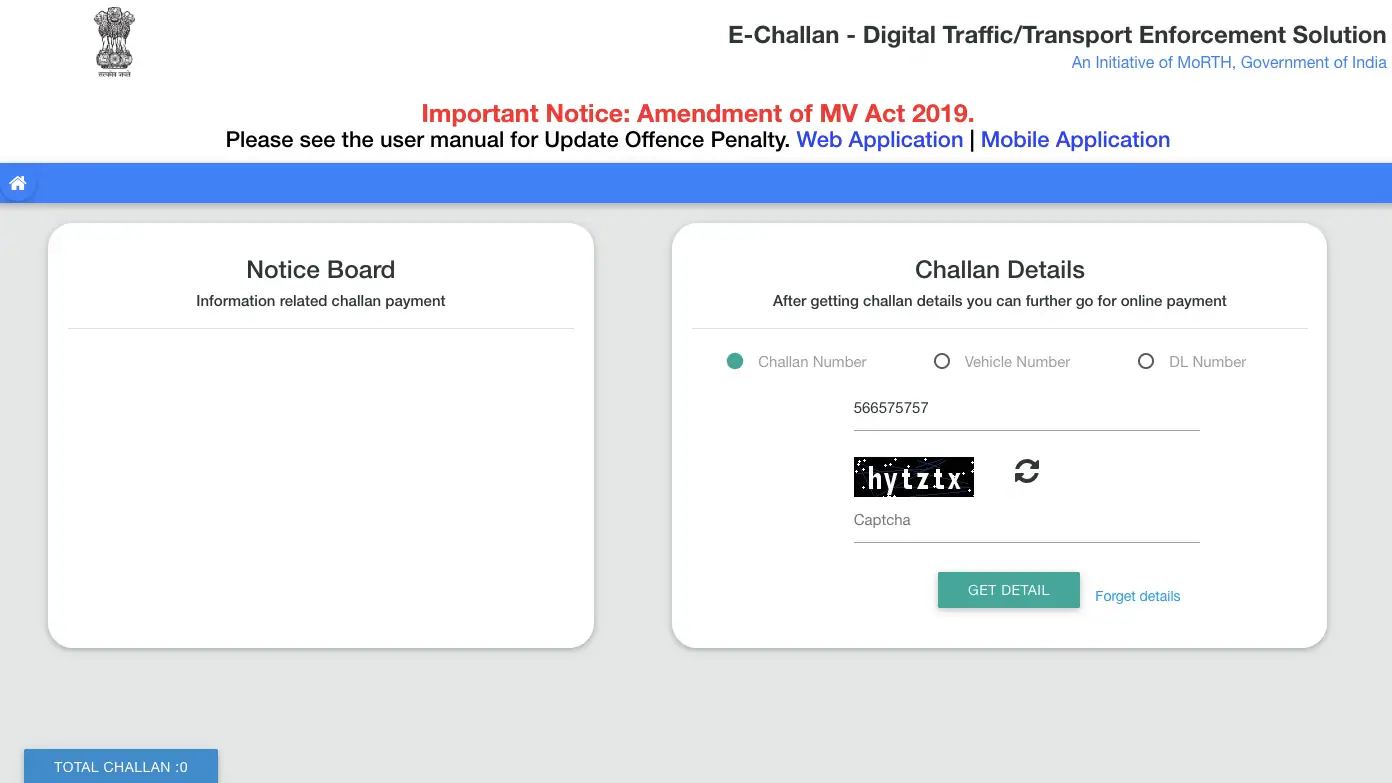
- Start with the E-Challan website of the Ministry of Road Transport and Highways, which can be accessed through https://echallan.parivahan.gov.in/index/. Interestingly, during our use it didn’t work properly on Google Chrome, so if you’re having trouble with Chrome, try a different browser.
- once Echaran The website is open, please go and check the Challan status.
- This page will provide three options to check challan status – using challan number, using vehicle number or using driving license number.
- If a valid e-challan is found, the website will list the challan below and provide payment options.
- When you click Pay Now, the website may redirect you to your state’s website to complete your payment.
- You can pay your bill electronically using a credit/debit card or net banking.
- You can also verify previous payments.
Paytm: electronic payment for payment traffic
- The second option for paying transport fares online is Paytm, whose app and website support E-challans in Andhra Pradesh, Chennai, Faridabad, Maharashtra and Telangana.
- To pay your transportation electronic bill in these cities or states, open E-Challan payment page On Paytm (app or website).
- Paytm will now provide you the option to select the relevant e-challan permissions, select the permissions.
- It will then ask you to enter the challan number or vehicle number or driving license number to find a valid e-challan.
- If an e-challan is found, it will list the details and provide options to complete the payment.
Paytm e-challan payment option can be found on its website or app
If your e-challan payment option is not available on any of the above websites, search for the e-challan payment website in your state or city (if you live in one of the Tier 1 cities). Here are links to some of India’s most populous states: Uttar Pradesh, Maharashtra, Madhya Pradesh, West Bengal, Bihar, Tamil Nadu and Rajasthan.
Disclosure: Paytm’s parent company One97 is an investor in technology shout.
Get daily tech news, reviews, and insights in 80 characters or less on technology shout Turbo. Connect with other tech enthusiasts on our forum. Follow us XFacebook, WhatsApp, Threads and Google News for instant updates. Watch all the action on our YouTube channel.
Redmi K20 Pro Premium Edition equipped with Snapdragon 855+ SoC will be released on September 19
Xiaomi CEO reveals Xiaomi 9 Pro 5G first look, preview poster shows curved screen

