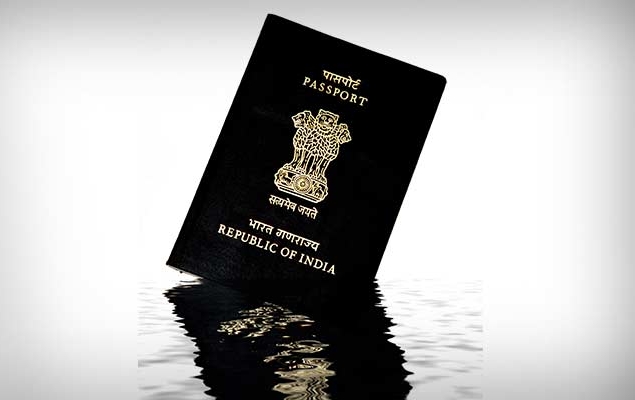
As more Indians come online, our government services are following suit. Many things that were previously extremely difficult and inconvenient are now just a few clicks away. To help our readers make the most of new services as they become available, we will regularly update our guidance on how to use different government websites. The new website makes it easy for anyone to submit RTI, apply for PAN card or download a copy of Aadhaar card. Digital governance makes it easier than ever to apply, never more so than when applying for a passport.
Just the thought of applying for a passport in India is nerve-wracking enough. Many people still fret over small details, such as how to fill out forms and what documents are required. Many people still hire agents and pay to go through the entire process because no one wants to waste time in a government office running from department to department to get basic things done. If you are one of these people, stop frowning and relax. Applying for a passport online is easy. The process is lengthy and you still need to go to the passport office, but as long as you follow the steps you absolutely don’t need an agent to get the job done.
-
Visit the Passport Seva website.
-
Click Register now In the box titled Apply.
-
Fill out the form now to create an account on the Passport Seva website. You need to choose the passport office in the city where you currently live, not where you were born. Also make sure that the name you enter is exactly as it appears on other documents to avoid any issues with your application. The rest of the form is very simple – just like registering for any other website.
-
Click Register After completion.
-
Now that you have created your account, please return to the Passport Seva website.
-
click green Log in button.
-
Enter your email address and click continue.
-
Enter your email, password and characters from the image. Click Log in.
-
Click Apply for a new passport/reissue a passport.
-
You can download the form, fill it out and upload it back to the website, or simply fill in your details online. We recommend filling in your details online to save time.
If you still want to download the form, click Click here to download a soft copy of the formin the first subheading of a page titled Alternative 1.
-
If you would like to fill out the form online, please click Click here to fill out the application form online below Alternative 2. We recommend you choose this option as it is the easiest way to apply for a passport.
-
On the next page, you have to choose between the following options: fresh passport or reissueone Ordinary or Tatkar passport, 38 pages or 60 pages. Select as per your requirement and click Next page.
-
You must enter your personal information on the next page, and again, the information you fill out should match your other documents. If you have any questions, you can refer to the official instructions. When finished, click Submit application in the lower right corner.
-
After filling out the form, return to the web page mentioned in step 9.
-
Click View saved/submitted applications.
-
You will see the application you just submitted. Click the radio button next to Pay and schedule an appointment.
-
choose Online payment then click Next.
The list of Passport Seva Kendras in your city along with the earliest available date and time will be displayed on the screen.
-
Select one from the drop-down menu next to phase shift keying position.
-
Enter the characters in the image next to it and click Next.
-
Click Pay and reserve.
-
Now you will enter the payment gateway. After completing the payment, you will be redirected to the Passport Seva website.
-
You will now see a page titled Appointment confirmation Contains all the details for your booking at Passport Seva Kendra (PSK).
-
Click Print application receipt. The next page will show a detailed view of the application – click again Print application receipt.
-
On the next page, you’ll see a preview of your receipt. click again Print application receipt Finally print the reservation confirmation information.
-
You need to print this receipt to enter the PSK.
Now all you need to do is head to PSK as per the time mentioned in the receipt. In our experience, if you have all the necessary files, your PSK access will take no more than two hours. Once police verification is complete, you will receive your passport. In the meantime, you can check the status of your application here. To track the status of your application:
-
Please visit the website here.
-
choose passport Enter your case number (given to you by PSK) and your date of birth from the drop-down menus and click tracking status Check the status of your application.
Have you applied for a passport online? If so, how was your experience? Let us know in the comments. For more tutorials, visit our how-to section.
Get daily tech news, reviews, and insights in 80 characters or less on technology shout Turbo. Connect with other tech enthusiasts on our forum. Follow us XFacebook, WhatsApp, Threads and Google News for instant updates. Watch all the action on our YouTube channel.
Telecommunications Commission increases 900MHz spectrum base price by 23%
iOS 8.1.2 now available for download; fixes ringtone issues and other bugs

