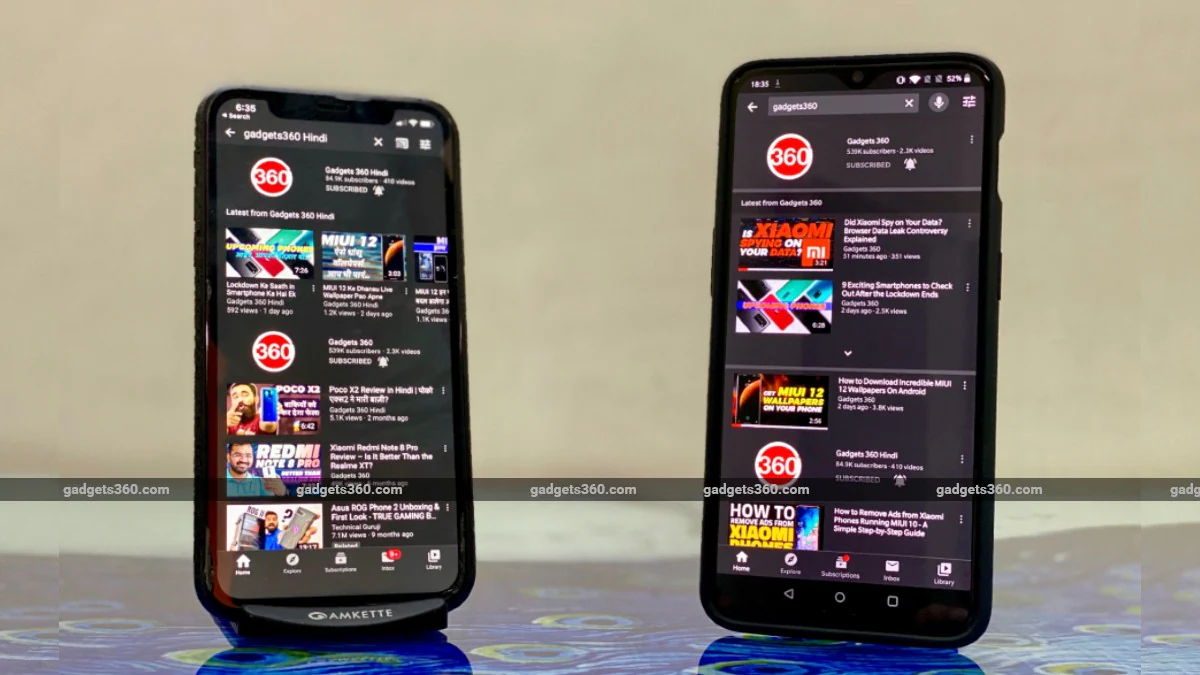
YouTube is one of the most popular video platforms in the world. Some people just watch YouTube videos and move on, but there are also many people who browse YouTube comments. That’s why we want to tell you how to enable dark mode on YouTube.
There are some advantages to using dark mode on YouTube. It saves your device’s battery and reduces eye strain. After all, a big part of watching YouTube videos is laughing at those hilarious comments, right? Dark mode looks more visually appealing in our opinion. Follow the steps below to enable dark mode on YouTube.
How to enable dark theme on YouTube for Android
Dark mode functionality was initially available on YouTube for Android in July 2018. To enable dark mode on YouTube on your Android device, follow these steps:
-
Open YouTube app on your smartphone and Click on the profile icon in the upper right corner.
-
choose set up > General > appearance.
-
Next, select dark theme That’s it. Isn’t this much better?
-
If you are not logged into YouTube, you can still turn on the dark theme. Just open YouTube app, Click on the profile icon in the upper right corner. Click now set up > General > appearancethen select dark theme.
How to enable dark theme on YouTube for iOS
iOS devices got YouTube’s dark mode feature months before Android devices. To enable dark mode on YouTube on iPhone or iPad, follow these steps:
- Download the YouTube app Get it from the App Store if you haven’t already.
- After installing the application, open it and Click on the profile icon in the upper right corner.
- Next, Click settings > On the next screen, Enable dark theme. That’s it, your background will now switch to dark.
- Similar to Android, you can turn on Dark Mode even when you’re not logged in. Open YouTube app > Click on the profile icon in the upper right corner.
- Next Click settingsand then Switch dark theme.
How to enable dark theme on YouTube on the web
To recap, the dark theme feature on YouTube web has been available since May 2017. Follow the steps below to enable dark mode on YouTube on the web.
- on the browser of your choice and go Go to www.youtube.com.
- After the website loads, Click on your profile icon in the upper right corner of the screen.
- Next, Click on dark theme and open it.
- If you’re not logged in but still want to turn on the dark theme, just go Go to www.youtube.com.
- After the website loads, Click on the vertical three-dot icon Right next to the login button.
- Next, click dark theme and open it.
By following these very simple steps, you will be able to enable dark theme on YouTube on Android, iOS, and the web.
For more tutorials, visit our How-To section.
In 2020, will WhatsApp get the killer feature that every Indian is waiting for? Samsung Galaxy S20 launched in India? We discuss this on Orbital, our weekly technology podcast, which you can subscribe to via Apple Podcasts or RSS, download the episode, or just hit the play button below.
Get daily tech news, reviews, and insights in 80 characters or less on technology shout Turbo. Connect with other tech enthusiasts on our forum. Follow us XFacebook, WhatsApp, Threads and Google News for instant updates. Watch all the action on our YouTube channel.
iQoo 3 is now available in Green, Orange zones in India via Flipkart
European virus tracking apps highlight privacy battle

