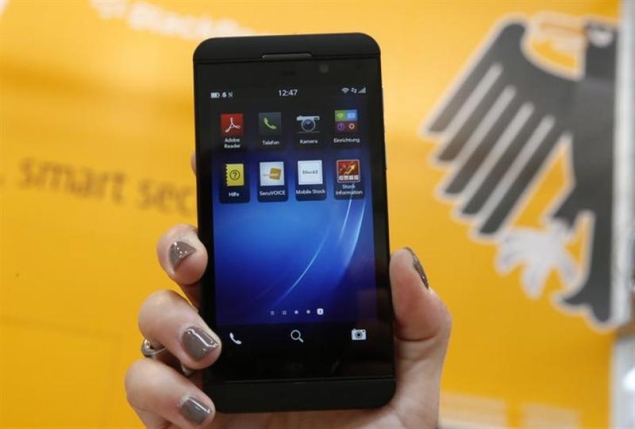
If you’re reselling your old phone, or simply giving it to a loved one, you’ll want to make sure you completely delete all of your personal data before doing so. We’ve described the process when you move from iPhone, Android or Windows Phone. If you own a BlackBerry 10 phone, here’s what you need to know.
Micro SD card
If you’re moving to another BlackBerry or Android phone, then you’ll just need to transfer your old microSD card, but if you’re moving to a phone that doesn’t have a microSD card, or to a newer, larger microSD card, and plan to ditch your existing microSD card, then you’ll want to make sure you delete all the data on the card first.
First, you need to back up all the files on your microSD card.
1. On your phone, go to Settings > Storage & Access. Scroll to the bottom and turn on the labeled switch USB mass storage device. tap continue.
2. Connect your phone to the computer using a USB cable.
3. Open my computer on your computer, or discoverer on your Mac.
4. Navigate to the SD card and copy all the files you want to save to your computer.
5. After copying is complete, you can safely eject your phone.
Now you can erase the memory card.
1. On your phone, go to Settings > Storage & Access. you have to turn off USB mass storage device for the next step.
2. Scroll to the bottom and click Erase SD card. You will see a warning message telling you that you will lose all data on the card. According to BlackBerry, this will permanently delete all content on the card. tap OK continue. You receive a final warning and must click OK Again, the process may then take a few minutes, depending on the size of your card.
3. After completing this operation, all data on the card will be deleted, but the card cannot be used immediately. If you hand the card over with your phone, you’ll need to format it. To do this, just click “Format Media Card” in the same menu. This is a faster process and usually only takes about a minute.
Back up data on your phone
Your BlackBerry can be set up to use a Google account – this will back up your contacts and calendar. If you’ve set up Gmail on your phone, it should already be active and your contact and calendar data already backed up to Google’s servers, assuming you haven’t made any changes in the past 30 minutes (the default sync interval). If not, you can enable it via:
1. Go to Settings > Account. tap Add account from the bottom of the screen and tap Email, calendar, and contacts.
2. On the next page, enter your Gmail address and click Next. Then enter your password and click login. This will set up the account. Make sure all three switches are on.
You can also back up messages, call logs, and other information using BlackBerry Link software for Windows and Mac. Once done, launch the software and connect your phone to your computer using a USB cable.
Once the software is running, all you need to do is log in with your BlackBerry ID and the first thing it does is automatically back up all your data. If the backup does not start automatically, click Backup and Restore > Backup Device. There’s no easy way to transfer this data to a non-BlackBerry device, but you can use this method if you’re switching to a new BlackBerry phone.
Delete all content
Now that you have a backup, you can safely delete everything on your phone. According to BlackBerry, Secure Erase is designed to permanently delete all data so that it cannot be recovered. This operation should not be interrupted and takes approximately 15 minutes, so you should connect your phone to the charger before wiping it. Here’s what you want to do:
1. First, completely erase the SD card as above, or if you plan to use it in a new phone, remove it and keep it safe.
2. Next, you must perform a secure wipe, which will delete all data and accounts on your phone. Go to Settings > Security & Privacy > Secure Erase.
3. A warning will appear informing you that this will delete all data, all applications and sync accounts on the device. Also, if you encrypt the SD card using encryption settings, it will become completely inaccessible. To continue erasing you must enter blackberries in the text box and click Delete data.
4. You will receive a final warning and must click OK -The phone will then delete all content. This is a slow process, taking about 20 minutes and requiring multiple restarts. It also requires more than half our battery to complete, but once it’s complete, your phone is ready for recycling.
Recover files on another phone
If you followed the steps above to back up properly, you should be able to recover all your data without any trouble. For one thing, if you continue to use your old microSD card in your new phone, your movies, music, and photos will be transferred automatically.
Otherwise, when you receive your new phone, just log in with the same Google account to keep your contacts and calendar data, then use a USB cable to transfer the files from computer to computer just like you copied the files to your computer, as described above. The same steps apply to most Android phones.
If you switch to an iOS device, you can still sync your Google account to transfer your contacts and calendars, while you can use iTunes to transfer backed-up media files.
If you’re switching to a new BlackBerry, you’re better off using the desktop software. When you connect your new phone to your computer, just log in with the same BlackBerry ID as before and it will automatically recognize the new device and ask you if you want to restore your data from the backup. Just keep clicking “OK” until you’re done. If automatic recovery does not occur, run blackberry link and go to Backup and Restore > Restore Device. Select the latest backup file and click recover.
If you found this tutorial useful, check out our How To section for more. If you have any tips that will help you securely wipe your BlackBerry, please let us know in the comments.

