


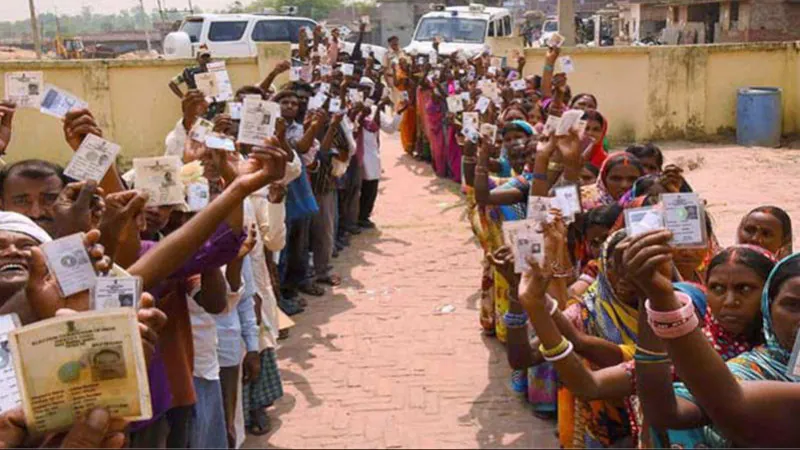
If you don’t have a voter ID card, you are not eligible to vote in India. You need to have a voter ID card and your name should appear on the voters list. Getting a voter ID card in India is very easy, even if the process takes some time – you can even apply online. Before that, you need some documents.
How to check if your name is on the Indian electoral list
Documents required to get Voter ID in India
To get a voter ID card, you will need two types of documents, which you can scan and upload. These are as follows.
- A document proving your age (such as those listed below):
- Birth or baptismal certificate issued by a municipality or regional birth and death registry office
- Birth certificate from the school last attended by the applicant (Government/Recognized) or any other recognized educational institution
- If a person has passed in class 10th or above, he should provide a copy of the mark sheet of class 10th if it contains date of birth as proof of date of birth
- Class 8 mark sheet (if date of birth included)
- Class 5 mark sheet (if date of birth included)
- indian passport
- Panka
- driver’s license
- Aadhar letter issued by UIDAI
- Obtaining a Voter ID Card also requires a proof of residence document (listed below):
- Bank current passbook/kisan passbook/post office current passbook
- ration card
- indian passport
- driver’s license
- income tax assessment order
- Latest rental agreement
- Latest water/telephone/electricity/gas connection bill for the address, in the name of the applicant or his or her immediate family member (e.g. parent)
- Any post/letter/mail delivered through Indian Postal Department in the name of the applicant at his ordinary residential address
You will also need a passport size photo.
Step-by-step process to apply for Voter ID card online
After gathering all the required documents, you need to start the online application process. Please follow the steps below to apply for Voter ID card online.
- Go to the National Voter Services Portal and click Apply online for new voter registration/due to transfer from AC. Alternatively, you can go directly to the NVSP Form 6 page.
- Select your language from the drop-down menu at the top and fill in all the required details. This includes your name, age, address, etc. You must also upload the relevant documents listed above.
- Once you have filled out the form, double check everything and click submit at the end of the page.
You will now receive an email with a link that will allow you to track the status of your Voter ID application. It may take approximately 30 days to process your application and issue a Voter ID. Below we try to answer some frequently asked questions about Voter ID online application.
Can anyone apply for Voter ID online?
Anyone in India above the age of 18 can apply for a Voter ID online. However, some people are not eligible to be on the electoral roll. This includes those who have been declared mentally unsound by a competent court; or are prisoners; or are disqualified from voting for reasons such as election-related crimes or other corrupt practices.
What is the minimum and maximum age to apply for Voter ID Card?
The minimum age to apply for a Voter ID Card in India is 18 years. Please note that if you are under 18 years old on January 1 of the election year, you cannot register to vote. You must wait until the next calendar year to vote. There is no maximum age limit for applying for a Voter ID Card. Anyone over the age of 18 is eligible to vote, subject to the exceptions noted above.
How can an NRI apply for Voter ID Card?
NRIs or overseas citizens of India can apply for Voter ID online by filling Form 6A on the NVSP website.
For more tutorials, visit our how-to section.
Get daily tech news, reviews, and insights in 80 characters or less on technology shout Turbo. Connect with other tech enthusiasts on our forum. Follow us XFacebook, WhatsApp, Threads and Google News for instant updates. Watch all the action on our YouTube channel.
Toshiba’s DynaEdge AR smart glasses are powered by Windows 10
This is how Fortnite Battle Royale looks on iPhone X