


If you’re a gamer, you’ve probably found that you can get the best deals on games when you buy a digital copy. On top of that, services like Xbox Live Gold and PlayStation Plus guarantee you a handful of free games to download each month. But with current-generation games reaching 50GB or more, a 500GB hard drive in an Xbox One or PlayStation 4 will fill up quickly.
Things are better with a PlayStation 3 or Xbox 360, where games typically run under 10GB, but the hard drives on those consoles are also smaller, so it’s still an issue. Since you can also save music and movies on your console, they’ll fill up quickly.
Luckily, gamers can use their external HDD simply by plugging it into their console’s USB port, freeing up space on the internal drive. One thing you need to remember is that the hard drive needs to be formatted before you can use it – which means everything on the drive will be deleted before you can use it.
If you have any important data on the drive, be sure to save it before proceeding with any of the following steps. Formatting a drive is an irreversible step that can take several hours depending on the size of the drive, so make backups as needed and only start the process when you know you have time.
Xbox 360
Xbox 360 can use up to 32GB of external storage with the FAT32 file system. Therefore, we recommend that you use a USB thumb drive with your Xbox 360 instead of an external hard drive. While 32GB doesn’t sound like much, this will allow you to save at least three complete games and their save data on a single USB drive. If you’re a fan of indie games, you’ll probably find more in there.
One thing you need to do is make sure the thumb drive you’re using is on a FAT 32 file system – some guides suggest you can just go to step 7 and the Xbox 360 will format the drive for you, but we’ve tried a few different thumb drives and this isn’t always the case. So you can try step 7 first but if your thumb drive is not detected then start from step 1.
1. Connect the thumb drive to your Windows PC and go to my computer.
2. Right-click the drive icon and click characteristic. Under the drive name, the file type should be noted. If it is FAT32, you can skip to step 7. Otherwise, you need to format the drive. This will delete everything on the drive, so back up any data you need to keep.
3. The fastest way to convert it to FAT32 is to use the command prompt. First, press Windows Key + R to display the Run dialog box.
4. Type instructionthen click OK.
5. In the pop-up window, enter the following text, omitting the quotation marks: “format /FS:FAT32 X:”. You need to change X: to the name of the drive.
You can see the name of the drive in the My Computer window – don’t accidentally enter the wrong letters, as once you confirm this command, the process is irreversible.
6. When running the program, you will be prompted to press Enter. To be on the safe side, double-check the drive name you enter in the command before pressing Enter. The process is complete and you can confirm it by checking the drive’s file system as described in step 2.
7. To use the thumb drive, you can now eject it from your computer and connect it to your Xbox 360.
8. Go to System Settings > Memory > USB Storage > Configure Now. This process took a minute, after which we were able to store games, demos, and save games to the drive.
You can also follow steps 1-6 to format the external HDD to FAT32 and then use it on the Xbox 360. You can save movies and music to the HDD and play them automatically from the Xbox 360, so this is useful if you use the console as a music player. However, you will not be able to use more than 32GB of space to save games.
Game Console 3
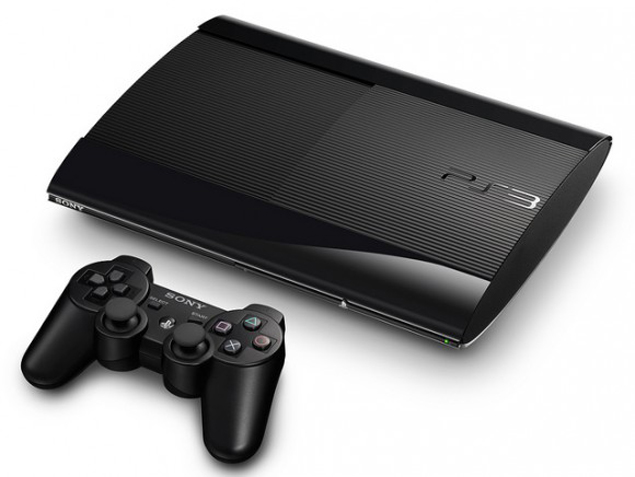
Unlike the Xbox 360, you can’t save PS3 games to an external drive, so here we recommend using an external HDD to save all the music, movies, and TV shows you want to watch, while the games stay on the console’s internal HDD.
The PS3 also only recognizes FAT32 drives, so you will need to perform steps 1-6 above first. After that, there’s one more thing you need to do to use it with your console.
1. After converting the drive to FAT32, return my computer and open the drive.
2. Create the following folders: music, photo, game and video. You can now populate all folders (except GAME) with the media content you want to access on your PS3.
While you can’t play games from an external hard drive, you can back up downloaded games to your hard drive; this means that if you delete a game, you don’t have to waste data redownloading it. Back up your game:
1. After connecting the hard drive to PS3, go to Settings > System Settings > Backup Utility > Backup.
2. Select confirm then select USB driveyour entire PS3 will be backed up to the HDD. This process takes some time. Once you’ve done this, you still won’t be able to play games from the external hard drive, but you can delete old games from your PS3 and then transfer them back if you need to make space.
3. To restore the game from backup, start your PS3 and go to Games > Save Data Utility
4. Select the external hard drive. Scroll through the list to find the game you want to import. Press the triangle button on your controller and select copy. This will copy the backup to your PS3 and you can use it again.
Xbox One
Newer consoles are more computer-like, and using an external hard drive is relatively simple. For Xbox One, there’s just one caveat – the HDD must support USB 3.0 and be at least 256GB in size. If you’re just considering an external HDD to store media and not games, there are no minimum storage limits or USB 3.0 requirements.
1. To use it, just connect the hard drive to your Xbox One. You will be asked if you want to format the hard drive.
2. You must select “Yes” to use the hard drive. This process is automatic and takes some time. That’s it – once you do this, it will automatically be used to save games and other content.
Playstation 4
PS4 doesn’t let you save games to an external hard drive. You can simply plug your external hard drive into your PS4 and use it to store all your movies and TV shows. You can copy videos from your PS4 to HDD, so you can save all your gameplay footage without worrying about filling up your console’s storage. However, you can’t save games to an external drive using the PS4. Since the PS4 supports USB 3.0, you’ll obviously get faster data transfer speeds if you use an external hard drive with USB 3.0 – but it’s also compatible with older hard drives.
We hope this guide helps you resolve space constraints on your console. If you have any console tips and tricks to share with our other readers, please let us know in the comments.