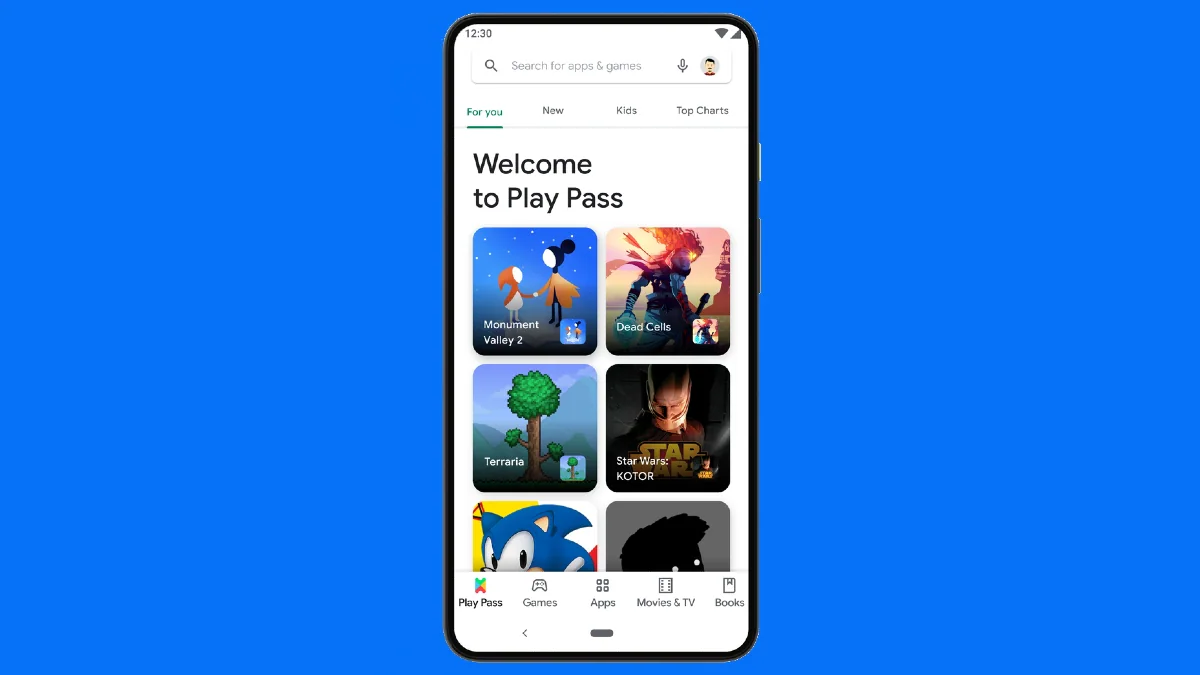
Google Play Pass debuted in India this week. It will allow Android users to access apps and games without any ads, in-app purchases and pre-payments. The subscription-based service starts at Rs. 99 per month. Once subscribed, Play Pass gives users access to a curated collection of apps and games that users can install on their devices. Google Play has a dedicated section where users can access the collection of games available under Play Pass. Subscribers to the service can also share their Play Pass subscription with up to five other family members if they have a Google Family Group.
Android users in India can subscribe to Google Play Pass by paying Rs. 99 per month or Rs. 889 a year. The service also offers a one-month trial period. Additionally, you can get it with a prepaid one-month subscription priced at Rs. 109.
In this article, we will detail how to get Play Pass on your Android device and how to use it.
How to get Google Play Pass on your Android phone
Before we get started on how to get Google Play Pass on Android phones, it’s important to note that the service is currently being rolled out in phases and is not yet available to all users in India. Google expects Play Pass to be fully rolled out next week. It also requires the device to be running Android 4.4 or higher and have at least Google Play Store app version 16.6.25. Additionally, users require a valid payment method to register for the service.
-
Go to Google Play and click on your profile icon next to the search bar in the upper right corner.
-
beat Get started Continue to subscribe to the Play Pass service. You can also get an annual subscription, which saves you some money over a recurring monthly plan.
-
See the total amount you’ll need to pay, then scroll down to read the terms of service.
-
Now, if you think everything is going well, click subscription Activate the service on your account.
-
Enter the password for your Google Account and click Verify continue.
The service features a one-month free trial. You can scroll down a bit on the intro screen to see the apps and games you’ll get when you subscribe to Google Play Pass.
Google claims to offer more than 1,000 curated games in 41 categories from developers in 59 countries. The collection includes 15 books from India. This list may also change from time to time to include new apps and games.
How to use Google Play Pass
- Here are the steps you can take to use Google Play Pass on your Android phone.
- Go to Google Play and select play pass tabs in the bottom bar.
- Scroll down to see the titles selected just for you.
- Click on any app or game you want and then click Install Make them available on your device.
Google Play displays Play Pass “tickets” in the list of apps and games available as a result of your subscription. Each app and game listing also includes the actual price you would have to pay if you didn’t purchase Play Pass.
Get daily tech news, reviews, and insights in 80 characters or less on technology shout Turbo. Connect with other tech enthusiasts on our forum. Follow us XFacebook, WhatsApp, Threads and Google News for instant updates. Watch all the action on our YouTube channel.
No phone expected to launch in April, report says, likely to feature familiar transparent design

