


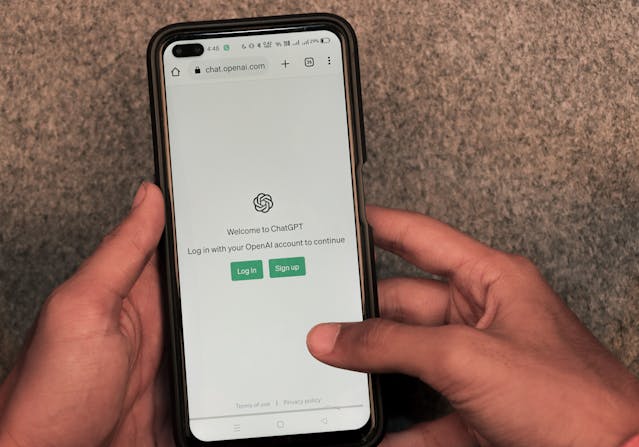
ChatGPT Atlas: OpenAI’s Bold Browser Move Against Google Chrome
Introduction
Have you ever felt your browser is, well… just a browser? Tabs, links, bookmarks, maybe some extensions. But what if your browser could think for you—or at least assist you like a smart companion while you browse? That’s the vision behind ChatGPT Atlas, a brand-new browser from OpenAI that shakes up how we look at web navigation.
In this article, we’ll dive deep into what ChatGPT Atlas is, why it could matter, how it works, and the many questions it raises. If you’re curious about the future of browsing, AI, and how we search the web—buckle up.
The Browser Landscape: Why This Matters
Browsers have pretty much stayed the same for years: you type in a URL or search, you get results, you click links, you browse content. While incremental improvements have rolled out, the core experience hasn’t radically changed.
Enter ChatGPT Atlas. With this move, OpenAI is aiming not just to tinker, but to rethink what a browser can do. As one headline put it: it “takes direct aim at Google Chrome.
Why does this matter? Because if your browser becomes an AI-assistant, the way you search, interact, and find information could fundamentally change—and that has ripple effects for everything from online advertising to privacy to how content is created.
What Exactly Is ChatGPT Atlas?
Simply put, ChatGPT Atlas is an AI-powered browser from OpenAI that integrates the company’s signature chatbot—ChatGPT—directly into web navigation and tasks.
Here are some of its standout components:
-
Chat integration: A sidebar (or similar UI) lets you ask ChatGPT questions about the web page you’re on—summaries, explanations, deeper dives.
-
Agent Mode: The browser can delegate tasks to the AI—like researching something, filling forms, comparing options, maybe even buying something (depending on permissions).
-
Browser memories / personalization: The browser can remember your browsing history, preferences, and use those to suggest helpful actions or bring up things you looked at before.
-
Availability & positioning: Initially launched for macOS globally; Windows, iOS, Android are planned. Free for general users; some advanced features are tied to paid tiers.
In a nutshell: chat + memory + automation wrapped in a browser shell.
How ChatGPT Atlas Differs from Traditional Browsers
So what sets Atlas apart from your standard browser experience (like Chrome, Firefox, Edge)? Here’s how:
AI-First, Link-Secondary
Typical browsers show you a list of links after a search. With Atlas, as described by WIRED:
“If a user asks for movie reviews … a chatbot-style answer will pop up first, rather than the more traditional collection of blue links.
So instead of you scanning links, the AI gives you a summary or answer up front—and then you can dig links if you want.
Contextual Assistance
Because the AI is embedded, it can see what page you’re on, what text you’re editing, etc. For example: you highlight text in an email and ask the AI to “make this sound more professional.
That’s a hybrid of browsing + writing + editing + AI support.
Proactive Memory & Suggestions
Instead of purely reactive browsing (“I’ll search when I want something”), the memory system means Atlas may prompt you: “Hey, remember that page you were looking at? Here’s something related.” Or keep track of things you browsed previously and bring them up.
Automation via Agent Mode
Rather than you doing all the clicking, filling, researching, the agent can handle multi-step tasks (with your approval). For example, order ingredients, set up appointments, compare products.
This is more than a browser—it’s becoming an assistant.
Why OpenAI Is Making This Move
There are several reasons driving this bold step.
-
Challenge to dominance: Google Search and Chrome have dominated how people access the web for years. By introducing Atlas, OpenAI is positioning itself as a new gateway to the internet. WIRED said it’s “OpenAI’s most direct attempt yet to compete with Chrome.
-
Shift from search to assistance: Instead of just search queries and links, the future may be conversational, context-aware assistants that help you get things done. OpenAI is betting on that.
-
Locking in engagement: If users spend significant time in a browser built around ChatGPT, then OpenAI has more touchpoints, potentially more value.
-
Data & intelligence loop: Browsing behavior + memory + agent modes = more data and refinement of user experience (though this raises privacy questions—more below).
In short: the web interface is evolving. Rather than search → results → link click → repeat, we might move to chat → answer → done, with the AI doing much of the heavy lifting.
Potential Applications: How You Might Use Atlas
Here are some scenarios where Atlas could shine—and where traditional browsers struggle.
1. Research & Learning
Suppose you’re reading a long article. With Atlas, you could ask: “Summarize this article,” or “Give me three opposing viewpoints,” while staying on the page. Saves you copy-paste effort and tab-hopping.
2. Productivity & Writing
You’re drafting an email, drafting a document, filling out a form. Highlight text, ask Atlas to polish it, rewrite it. The AI is embedded, not external.
3. Multi-Step Task Automation
Need to plan a vacation? Atlas agent can: research destinations, find flights, compile options, maybe even fill the booking site. You supervise. Saves time.
4. Personalized Web Experience
Because the browser can remember what you’ve looked at, you may get suggestions like: “You were looking at sneakers yesterday—the sale is today.” Or the browser helps you leap back into a project without hunting tabs.
5. Browsing for Complex Decisions
Shopping multiple items, comparing features, returning to sites you visited earlier—all of that is more seamless with memory + agent assistance. The browser becomes more than passive.
The Challenges & Concerns
Of course, no major tech innovation comes without caveats. Here are the key challenges Atlas faces.
Privacy & Data Use
The memory feature and agent mode raise serious questions: what exactly is being remembered? How is data used? While OpenAI emphasizes user control (you can delete history, opt-out, toggle what the AI can see per page) there’s still a gap between concept and user trust.
Dependence on Chromium & Market Reality
Interestingly, Atlas is built on Chromium—the same open-source engine underlying Chrome, Edge, etc. Critics point out the irony: Atlas wants to challenge Chrome but relies on the very foundation Google created.
Plus, Chrome still has billions of users. Dislodging that dominance is non-trivial.
Accuracy & AI Limitations
Even embedded AI can get things wrong. Agent mode automating tasks sounds great, but errors or unintended actions can be problematic. Bing Edge’s early agent experiments showed fragility.
And AI summarization often omits nuances.
Content & Monetization Impacts
If the browser pushes AI answers instead of links, content creators (websites, publishers) might see less traffic, or clicks might bypass ads. One Reddit commenter wrote:
“If AI becomes the interface for browsing and finding information, Google’s dominance in search could face its biggest challenge.
That creates economic ripple effects.
User Behavior & Adoption
Even if the technology is solid, users are accustomed to traditional browsing patterns. Will they adopt a new UI? Will they trust agent automations? Will they accept an AI-centric experience? The launch is macOS only for now—so early uptake may be slow.
Implications for Content, SEO, and the Web Ecosystem
If Atlas becomes mainstream, here’s what it might mean for how we make, search, and consume content.
-
Content format change: More emphasis on content that AI can summarize or serve via conversation rather than raw link clicks.
-
SEO evolves: If users rely on AI answers instead of link lists, ranking via traditional search engines becomes just one part of the puzzle. How content appears in AI-assistant summaries becomes crucial.
-
Traffic & monetization shifts: If AI reduces clicks, publishers may need to adapt business models.
-
Privacy expectations adjust: Users may expect more tailoring—but will need more transparent controls.
-
Browser-as-platform: The browser becomes the computing platform—not just a window to the web. That means power shifts (and responsibilities) to browser vendors in new ways.
In other words, the “browser wars” are now the “AI browser wars” and the stakes include search engines, ad networks, data flows, and content economics.
Where Is Atlas Available & What’s the Roll-Out Plan?
Here are the key details:
-
Launch date: October 21, 2025 (announcement)
-
Available now for macOS globally. Windows, iOS, Android versions planned.
-
Free to download and use the basic browser. Some advanced features (Agent Mode) reserved for paid tiers (ChatGPT Plus, Pro)
-
Built on Chromium engine—so extension ecosystem may be familiar to Chrome users.
If you’re curious to try it, check system compatibility and whether your region supports the rollout.
Is It Truly a “Chrome Killer”?
You’ll see headlines calling Atlas a “Chrome killer” or disruption to Google. But let’s temper expectations and ask:
-
Chrome has ~3 billion users worldwide. Dislodging that is a massive task.
-
Launching a browser is one thing; building trust, performance, extension compatibility, and adoption is another.
-
The “killer” angle also depends on how much users change their behavior—from search via links to search via AI chat. That is a cultural/habitual shift as much as a tech one.
So yes—Atlas is making a bold bid. But whether it kills Chrome remains to be seen. It might well coexist, shake up the market, or accelerate change rather than outright end domination.
What’s Next for AI Browsers & Atlas?
Here’s a peek into possible next steps and broader trends:
-
Windows & Mobile Versions: Once Atlas works across devices the adoption potential increases.
-
Deeper Agent Capabilities: From tasks you approve to broader automation—imagine planning a whole project or managing workflows via the browser.
-
Improved Memory & Personalization: Smarter suggestions, seamless context carry-forward across sessions.
-
Privacy & Regulation Pressure: As AI browsers collect more behavioral data, regulatory scrutiny will rise.
-
New Ecosystem Roles: Publishers, content creators, advertisers will need to adapt to new browsing patterns.
-
Competition Intensifies: Other companies already building AI browsers (e.g., Comet Browser from Perplexity) will push innovation and differentiation.
-
In short, we’re in the early innings of AI-enabled browsing. Atlas is the high-profile launch—but many rounds are still ahead.
Conclusion
The launch of ChatGPT Atlas marks a fascinating inflection point in how we think about web browsers. Instead of being just tools for navigation, they’re becoming intelligent companions, context-aware assistants, and task managers.
For OpenAI, this is a bold move to reshape the gateway to the internet. For users and creators, it opens possibilities—and raises questions: about privacy, about how we find and consume information, and about what it means for content and search.
Whether Atlas ends up redefining browsing or becomes a niche alternative, one thing is clear: the era of AI-powered browsing has arrived.
FAQs
1. What is the main advantage of ChatGPT Atlas over traditional browsers?
The main advantage is the integration of ChatGPT as a built-in assistant: you can chat with pages, get summarized answers, use “Agent Mode” to delegate tasks, and benefit from memory and personalization rather than just clicking links.
2. Is ChatGPT Atlas free to use?
Yes, the browser itself is free to download and use. However, some advanced features—such as Agent Mode—are reserved for paid tiers of ChatGPT (Plus, Pro).
3. Which devices support Atlas currently?
As of the announcement, Atlas is available globally for macOS. Versions for Windows, iOS and Android are planned but not yet broadly available.
4. How does Atlas handle privacy and data?
OpenAI states that users have control: you can turn off memory, delete browsing history, toggle which sites the AI can see, and by default browsing content isn’t used to train models.
5. Will this mean traditional search engines become obsolete?
Not immediately. While Atlas and AI-powered browsing shift the paradigm (answers first, then links), many users, publishers, and systems still rely on traditional search and links. It’s more likely a gradual evolution than an overnight replacement.
Please don’t forget to leave a review.