


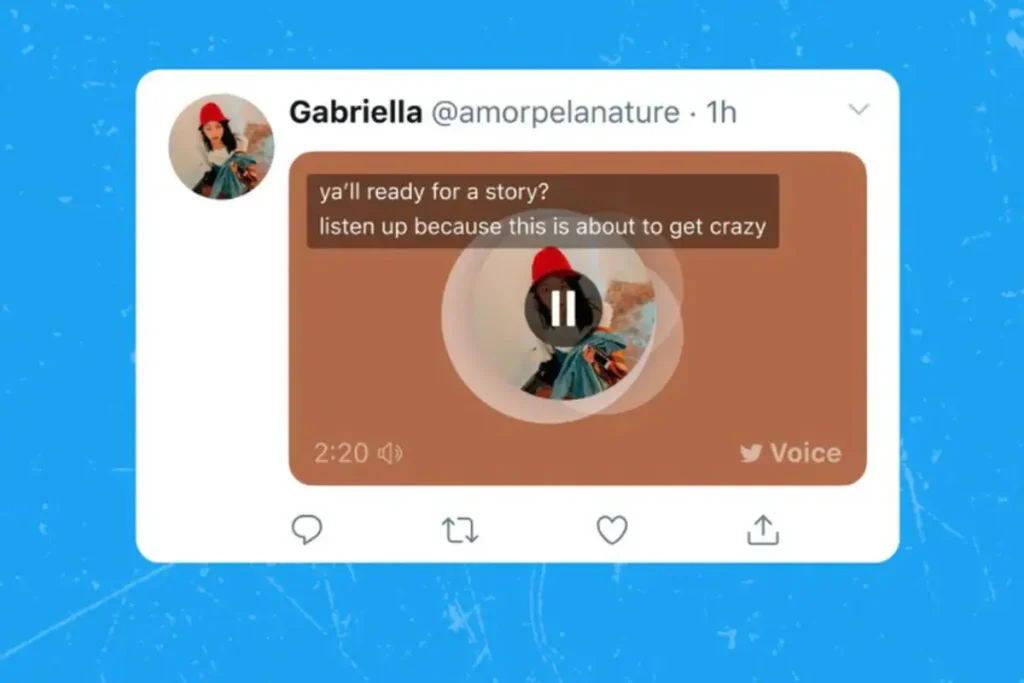
A few days ago, Twitter rolled out automatic captions for voice tweets. Voice Tweets, a new feature launched last year, received a lot of criticism after users pointed out that Twitter had no intention of making voice tweets available to all types of users. For example, this feature will be difficult to use for people who are visually impaired, deaf, or hard of hearing. To remedy this shortcoming, Twitter recently rolled out automatic captions for all voice tweets.
Voice tweets will be posted as tweets with audio attachments that people can play. Your current profile photo will be added to the audio attachment as a static image and will not refresh when you update your profile photo. When you hit play, it automatically minimizes into the audio dock at the bottom of the screen so users can continue listening while scrolling through Twitter.
How to use automatic subtitles in voice tweets
First of all, the voice tweet feature is currently only available for iOS users, and has not yet been enabled for Android and web users. Additionally, subtitles will be automatically generated in only a few supported languages. Currently includes English, Japanese, Spanish, Portuguese, Turkish, Arabic, Hindi, French, Indonesian, Korean and Italian. To use automatic captions on your voice tweets, follow these simple steps:
-
Navigate to the voice tweet you want to enable subtitles for.
-
Click on the voice tweet thumbnail to start and stop playback.
-
If you record a voice tweet, subtitles will be automatically generated and displayed.
-
To view subtitles on the web, click CC button in the upper right corner of the Voice Tweet window.
-
The transcript of the Voice Tweet should now appear on the Voice Tweet thumbnail.
Twitter says it will only automatically generate captions for new tweets. Old voice tweets will not support subtitles.
Get daily tech news, reviews, and insights in 80 characters or less on technology shout Turbo. Connect with other tech enthusiasts on our forum. Follow us XFacebook, WhatsApp, Threads and Google News for instant updates. Watch all the action on our YouTube channel.
“In the Heights Out” will be broadcast in India on Apple TV, BookMyShow Stream, and Google Play Movies on July 29
PS5 India restock on July 26: How to pre-order PlayStation 5 on Amazon, Flipkart, Croma and more