


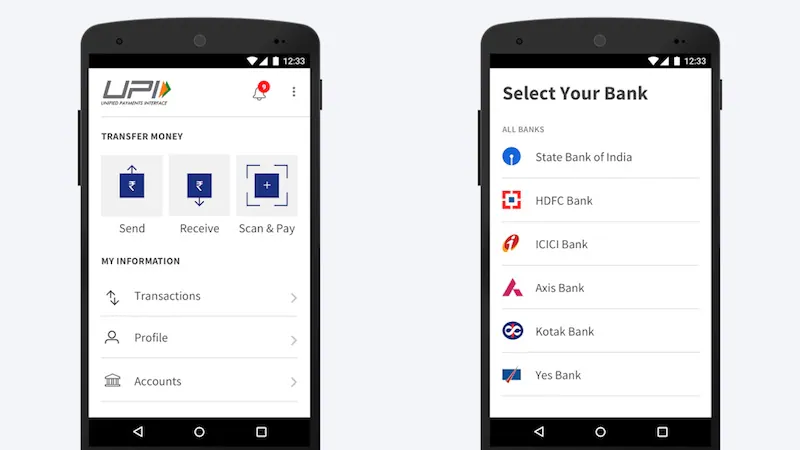
BHIM is an app developed by the National Payments Corporation of India (NPCI) that allows people to send and receive funds using the Unified Payments Interface (UPI). The app is currently only available on Android and has just launched a new feature called Aadhaar payments.
How UPI Works – Applications, Fees, and Other Information You Should Know
This way you can send money directly to the recipient’s Aadhaar number through the BHIM app. It is useful if the payee does not have a Virtual Payment Address (VPA) for UPI as an alternative to entering the account number and bank IFSC. There are some considerations for making payments through Aadhaar through the BHIM app.
Aadhaar payments: what are they and how to use them?
First, the person you want to send money to should link their Aadhaar number with their bank account. If this is not the case, payment via Aadhaar will not be possible. Secondly, BHIM does not display the name of the account holder (to prevent people from misusing the app to display the Aadhaar number), so double check the number before sending money.
BHIM app Android download, iOS version, supported banks, transaction limits and more you need to know
Here is how to send money to Aadhaar number through BHIM app:
- Open the BHIM app on your phone.
- tap money transfer.
- Click on the three dots in the upper right corner. choose Aadhar payment.
- Enter the recipient’s Aadhaar number.
- tap Verify. This will check if the Aadhaar number is linked to the bank account.
- The next step will display the person’s Aadhaar number. Be sure to double check this as it does not display the name of the account holder.
- Enter the amount and reason for payment.
- tap pay.
This is how you send money to your Aadhaar number through the BHIM app. For more tutorials, visit our how-to section.
We discuss UPI and the future of online payments in India on our podcast Orbital, which you can subscribe to via iTunes or RSS or hit the play button below.