


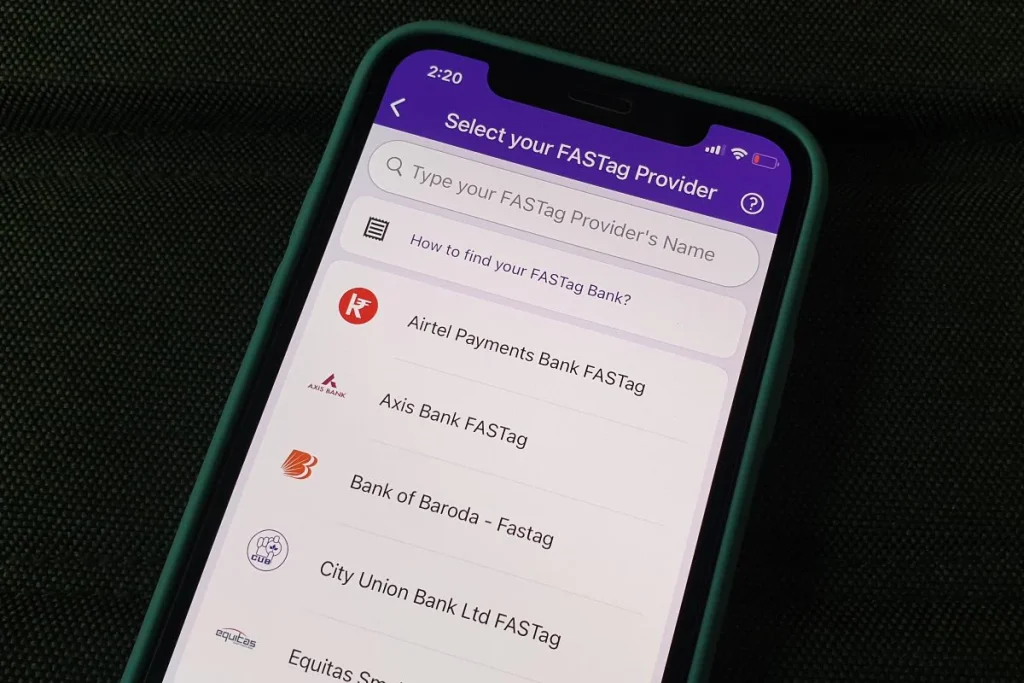
If you are traveling between cities, you need FASTag recharge. PhonePe is one of the popular platforms that allows you to recharge FASTag. As of November, the company is said to have processed over 7 million FASTag recharge transactions for over 1 million users. PhonePe app supports recharge from all major FASTag issuing banks such as Axis Bank, Bank of Baroda, City Union Bank, Federal Bank, HDFC Bank, ICICI Bank, IDBI Bank, IndusInd Bank, Kotak Mahindra Bank, Punjab National Bank, RBL and State Bank of India, etc. You just need to select the respective FASTag issuing bank and provide your vehicle registration number to recharge FASTag using PhonePe.
In this article, we will introduce the step-by-step guide to help you charge your FASTag using PhonePe.
How to charge FASTag using PhonePe
Before starting, please note that PhonePe app will show you the existing available balance on your FASTag account. This can help you decide how much money you need to add on your latest top-up. Additionally, you need to add your bank account on PhonePe to recharge FASTag.
-
Open the PhonePe app on your Android smartphone or iPhone.
-
Click View all Options in the “Top Up & Pay Bills” section on the home page.
-
Now, click FASTag recharge Under the Recharge section.
-
You need to find your FASTag issuing bank. You can also use the search bar above the list of available FASTag banks on the PhonePe app.
-
Once you find the bank, click on its name. Now, you have to enter your vehicle registration number in the text box that appears on the new screen. The number entered should not have any spaces.
-
Now, press confirm button. You will then see details about your FASTag account including customer name and FASTag balance.
-
Check the customer name and vehicle account number once and enter the amount you want to recharge the FASTag account.
-
Select the bank account that will be used to top up. You can also add one of your existing bank accounts to PhonePe at this stage (if it is not already linked).
-
You will now have to enter your UPI PIN to proceed with the recharge.
After successful FASTag recharge, your registered number will receive an SMS from the bank confirming the transaction details. You can also check the updated balance of your FASTag account through the FASTag recharge option available on PhonePe by selecting your FASTag issuing bank and entering your vehicle registration number. In some cases, banks also inform customers about the latest balance of their FASTag account through SMS.
Does the Redmi Note 10 series raise the bar in the Indian budget phone market? We discuss this on Orbital, our weekly technology podcast, which you can subscribe to via Apple Podcasts, Google Podcasts, or RSS, download the episode, or just hit the play button below.
Get daily tech news, reviews, and insights in 80 characters or less on technology shout Turbo. Connect with other tech enthusiasts on our forum. Follow us XFacebook, WhatsApp, Threads and Google News for instant updates. Watch all the action on our YouTube channel.
Rocket League Sideswipe will be available for free on Android and iOS later this year
Russia launches 36 British telecom and internet satellites using Soyuz rocket