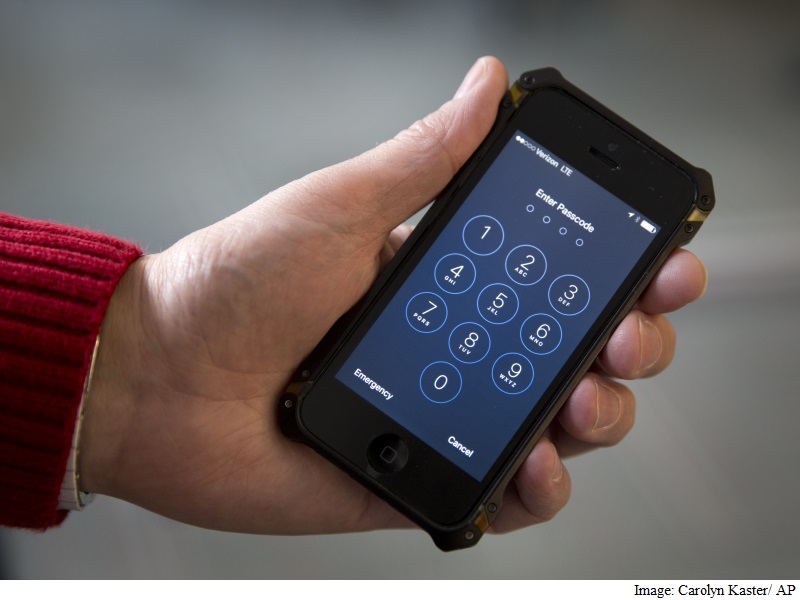
While most people are not targeted by the NSA, FBI, or foreign governments, hackers are trying to steal ordinary people’s financial and personal information. Your phone doesn’t just store selfies. For example, the email account on your phone is the gateway to resetting your bank password and other sensitive passwords.
Just like washing your hands and brushing your teeth, a little “cyber hygiene” can go a long way toward preventing disaster.
Lock your phone with a passcode
Failure to do so is like leaving your front door unlocked.
A four-digit passcode with an accompanying self-destruct feature that could wipe a phone’s data after multiple wrong guesses has baffled the FBI for weeks, forcing them to seek outside help. Using six digits makes the password 100 times harder to guess. If you want to make it more difficult, you can add letters and other characters to further increase the number of possible combinations. These options are available for iPhone and Android.
The iPhone’s self-destruct feature must be turned on under Touch ID and Passcode in Settings. By doing this, the phone will clear itself after 10 failed attempts. However, if you forget your password, or your child starts entering random numbers, these 10 attempts will also work for your guessing. Android has similar functionality.
Both systems also introduce a waiting period after a few wrong guesses, making it difficult to try all combinations.
Biometric technologies like fingerprint scanners can serve as a shortcut to make complex passwords less of a hassle.
Use encryption
Much to the FBI’s displeasure, at least iPhones running iOS 8 offer full disk encryption by default. This means that information stored on the phone cannot be extracted by authorities or hackers and read on another computer. If the phone is not unlocked first, any information obtained will be jumbled and unreadable.
For Android, however, you usually have to turn it on in settings. Google’s policy requires that many phones with the latest versions of Android, including its own Nexus phones, offer encryption by default. But according to Google, only 2.3% of active Android devices currently run this version.
Set up device finder
Find My iPhone isn’t just for finding your phone in your couch cushions.
If your device is lost, you can put it into lost mode. If you don’t have a passcode yet, it locks your screen with a passcode and lets you display a custom message with a phone number to help you recover your passcode.
The app comes with your iPhone, but you’ll need to set it up before losing your phone. Find the Find iPhone app in the Extras folder.
At the same time, Activation Lock makes it harder for thieves to sell your device. Without knowing its Apple ID, the phone becomes unusable (cannot be reactivated). The feature launches automatically on phones running at least iOS 7.
If all else fails, you can remotely wipe your phone’s data. While your information will be lost, at least it won’t fall into the wrong hands.
There’s nothing like this built into Android phones, but Google’s Android Device Manager app, as well as a few other apps made by third parties, can be downloaded for free from the Google Play app store.
Back up your phone
If you do have to wipe your phone remotely, you’ll be happy to know that you won’t lose all your photos and other important data. This can also be helpful if your child dunks your phone in a glass of water.
As mentioned before, apps like Find My iPhone and Android Device Manager will allow you to do this, provided you set it up in advance.
Keep your software up to date
Software updates often contain fixes for known flaws that could give hackers an opportunity to break into your device.
On iPhone, Apple will prompt you to get the update.
The situation with Android is more complicated, as updates need to go through various phone manufacturers and wireless carriers first. But please install updates when asked.

